MotionHub Now Works With Claude & ChatGPT

Victoria Holden
April 2, 2026 · 5 min read
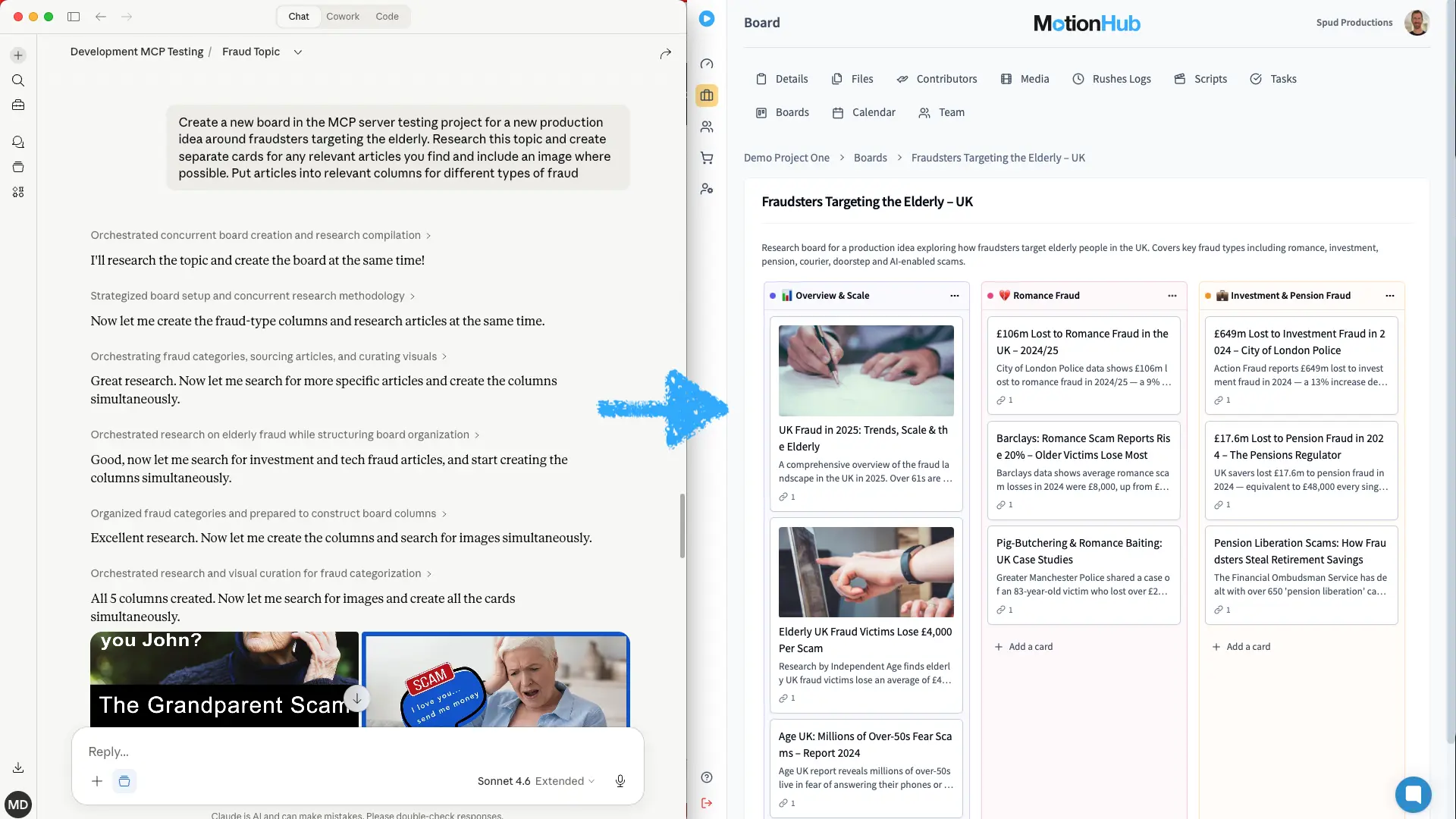
You can now connect MotionHub directly to Claude or ChatGPT, and ask it about your productions the way you’d ask a colleague.
Not a chatbot bolted onto the side of the product. A real connection to your account, with your permissions, working on your actual data – the projects you’re running, the rushes you’ve logged, the budget you’re trying to hold.
What you can ask
Once connected, the questions that used to mean opening four tabs become one sentence:
- “What’s shooting next week, and who’s on it?”
- “Find the clips where the contributors talk about funding.”
- “How much have we spent on catering across the whole shoot?”
- “Create tasks for the edit team from the notes in this script.”
- “Is Sarah free on the 14th? If she is, put her on the Bristol shoot.”
That last one matters more than it looks. Before assigning anyone, the assistant checks for clashes against everything already in the calendar – so you find out about a double-booking before you make it, not the morning of the shoot.
The media search is worth calling out too. It’s semantic, not keyword: asking for “clips where people discuss funding” surfaces material about investment, budgets and financing even when nobody says the word “funding” on camera. It searches across transcripts and the AI analysis of every asset in the library.
Here’s what that looks like in practice.
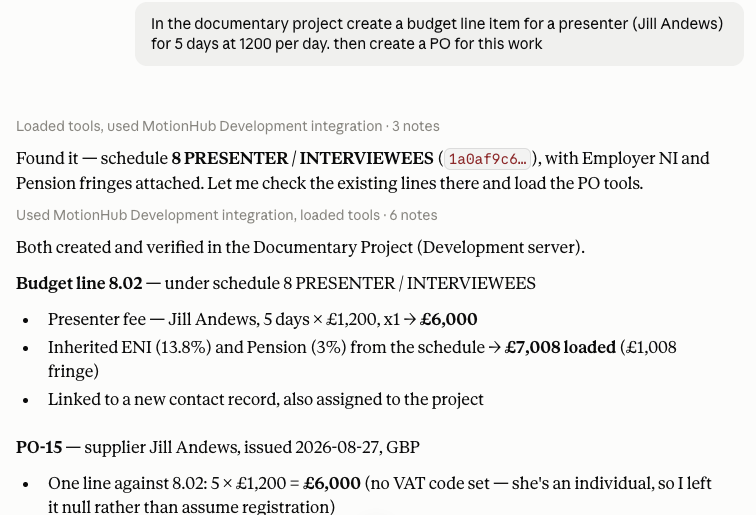
That one instruction created the budget line under the right schedule, inherited the on-costs already attached to it, linked a new contact record, and raised an approved purchase order against it.
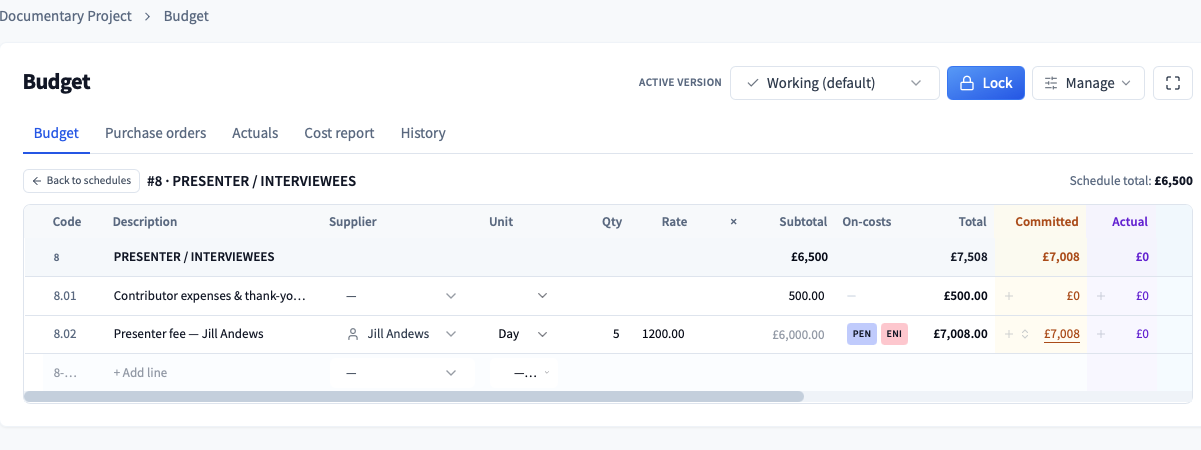
What it can reach
The connection covers most of MotionHub:
- Projects and programmes – list, create and update them, manage the team and the contacts attached to each one
- Tasks – across every project, filtered however you need them
- Media – the full AI analysis, transcripts, comments and tags, plus semantic search
- Scripts – scenes, running order, and the media attached to each scene
- Production calendar – events, groups and rows, with conflict checking built in
- Boards – cards, columns, comments, links and attachments
- Budgets – schedules, lines and versions, purchase orders, actuals, and cost reports comparing budget against committed and actual spend
- Companies, contacts and rushes logs
How to connect
- In Claude or ChatGPT, add MotionHub as a connector using https://api.motionhub.ai/mcp
- The assistant opens a MotionHub consent screen in your browser
- Sign in if you aren’t already, review what’s being requested, and authorise
That’s it. The connection uses OAuth 2.0 with PKCE – your MotionHub password is never shared with the assistant, and the access it receives is time-limited and revocable whenever you want.
What it won’t do
We’ve been deliberate about the edges.
The assistant works inside your permissions, never around them. On a project where you’re a Reader or Commenter, it can look but not touch. Assigning people to a project needs Admin; changing someone’s role needs Manager. Accounts on Read & Comment or Marketplace roles can’t connect an assistant at all.
Some things simply aren’t deletable through an assistant, regardless of your role – projects, media files, companies, contacts, programmes, and anything in the budget: lines, schedules, versions, purchase orders and actuals. Those need a human in the interface, deliberately.
Where it can delete – tasks, scripts and scenes, calendar entries, board cards – the assistant will ask you to confirm first.
And every action it takes lands in the project event timeline, exactly as it would if you’d done it yourself. If an assistant moved something, you can see that it did, and when.
Why we built it
Production management software has a boring, persistent problem: the person who most needs the answer is usually the person with least time to go and find it.
A producer mid-shoot doesn’t want to navigate to the calendar, filter by date, cross-reference the crew list and then open the budget. They want to ask a question and get on with their day. That’s the whole idea.